Thursday, September 3, 2015

English 8: Schoology & No Red Ink Instructions


Schoology Instructions

Step 1: Go to Schoology

Note: If you already have a Schoology account, you do not need to create a new one. You just need to log in using your username and password and click courses. Next, you will click join, add your class code from the list below, and click join. (If you created a Schoology account for another class and did not follow the directions that I have below for new users, you need to edit this in Schoology.)

Step 2: Click the blue sign up button in the top right-hand corner of the screen and click student.

Step 3: Enter the access code for your class period.

Class Codes for Schoology

Mrs. Porter’s English 8: 15-16: Period 1:                BB5VZ-VSZH3

Mrs. Porter’s English 8: 15-16: Period 4/5:             FK4MT-HFZFG

Mrs. Porter’s English 8: 15-16: Period 6/7:             VRBKP-7NBPQ

Mrs. Porter’s English 8: 15-16: Period 8/9:             JWJV4-4J3XR

Mrs. Porter’s English 8: 15-16: Period 10:              734NH-8WTHX

Step 4: Type your first and last name

Step 5: Type your school email which is 20 your last name first initial (in most cases) @ cmsd.k12.pa.us

Step 6: Type your password which is your student I.D. number followed by cmsd.

Step 7: Select your birthday from the drop-down menu. This is just to verify your age for access to the site.

Step 8: Click the blue register button.


No Red Ink 

No Red Ink is a web-based learning platform that helps students to improve their grammar and writing skills. You are to follow the directions below to create an account.

Note: If you already have a No Red Ink account, you do not need to create a new one. You just need to log in using your username and password. If you had a No Red Ink account last year for another class, you are to remove yourself from that class. If you created a No Red Ink account for another class and did not follow the directions that I have below for new users, you need to edit this in No Red Ink.

Directions for Creating an Account with No Red Ink

Step 1: Go to No Red Ink

Step 2: In the center of the page, it says: "Sign up for free" and click student.

Step 3: Type in the class code for your specific class period. Be careful and use the correct class code.

Class Codes for No Red Ink

Mrs. Porter’s: Period 1: 15-16:                     d33wxwxx

Mrs. Porter’s: Period 4/5: 15-16:                  acdcekea

Mrs. Porter’s: Period 6/7: 15-16:                  8h48433f

Mrs. Porter’s: Period 8/9: 15-16:                  h8d49kxc

Mrs. Porter’s: Period 10: 15-16:                   837x8mmk

Step 4: Type in your username. It has to be 20 your last name first initial (You are to use whatever you use to log on to the student computers or the first part of your school email address.)

Step 5: Type in your password. It has to be your student ID number followed by cmsd.

Step 6:
Type your first name, last name, and select your gender.

Step 7:
Click the box to agree to the privacy policy.

Step 8: You are to select your preferences. The website will prompt you to do this.

Tuesday, September 1, 2015

Science Homework and Bonus Opportunity: Designing a Controlled Experiment

Required Homework:
Optional Bonus Opportunity (4 Bonus Points Possible)
  • Actually conduct the experiment that you designed during the homework.
    • 2 Bonus Points: Provide visual proof that you conducted the experiment.  
      • This can be as simple as a photograph of your experiment. 
    • 2 Bonus Points: Organize the data you collected in a chart, table, graph, or written paragraph.  
  • This bonus work can be turned in with the homework, or it can be emailed to Mr. Wolf.  
  • Due: 9/10/15 - (Unless arrangements are made with Mr. Wolf due to your experiment requiring additional time.)

Thursday, August 20, 2015

Welcome 2015-2016 Supernovas!

Welcome to the CMS Supernova team blog.  Please use the blog to view announcements and updates throughout the school year.  Utilize the "helpful links" on the right-hand side of the page to access commonly used team resources.  We hope you have an enjoyable 8th grade year!

Reminder - Beginning of the Year Forms to Turn-In:
  • Handbook Form (Yellow) - Due 9/2/15
    • Return to your homebase teacher
  • Emergency Card - Due 8/31/15
    • Return to your homebase teacher
  • T-Shirt Order (Optional) - Due 9/4/15
    • Return to Mr. Wolf

Wednesday, June 3, 2015

Mrs. Porter's & Mrs. Barbarino's Poetry Picnic Event


Pictured above are students in Mrs. Porter's class enjoying the Poetry Picnic

     On Monday, June 1st, we held the Poetry Picnic event.  As the students entered the LMC doors, the students were provided with a “menu” and map of the different stations that they could visit.  Each station was decorated to resemble a picnic table.  The students were given thorough instructions for each of the stations that were focused on a different activity that incorporated poetry.  During the 44 minute class periods, the students were able to visit at least four of the eleven stations.  We also gathered feedback on the event by having the students complete a reflection form.  The students really enjoyed this enriching experience.   

Tuesday, June 2, 2015

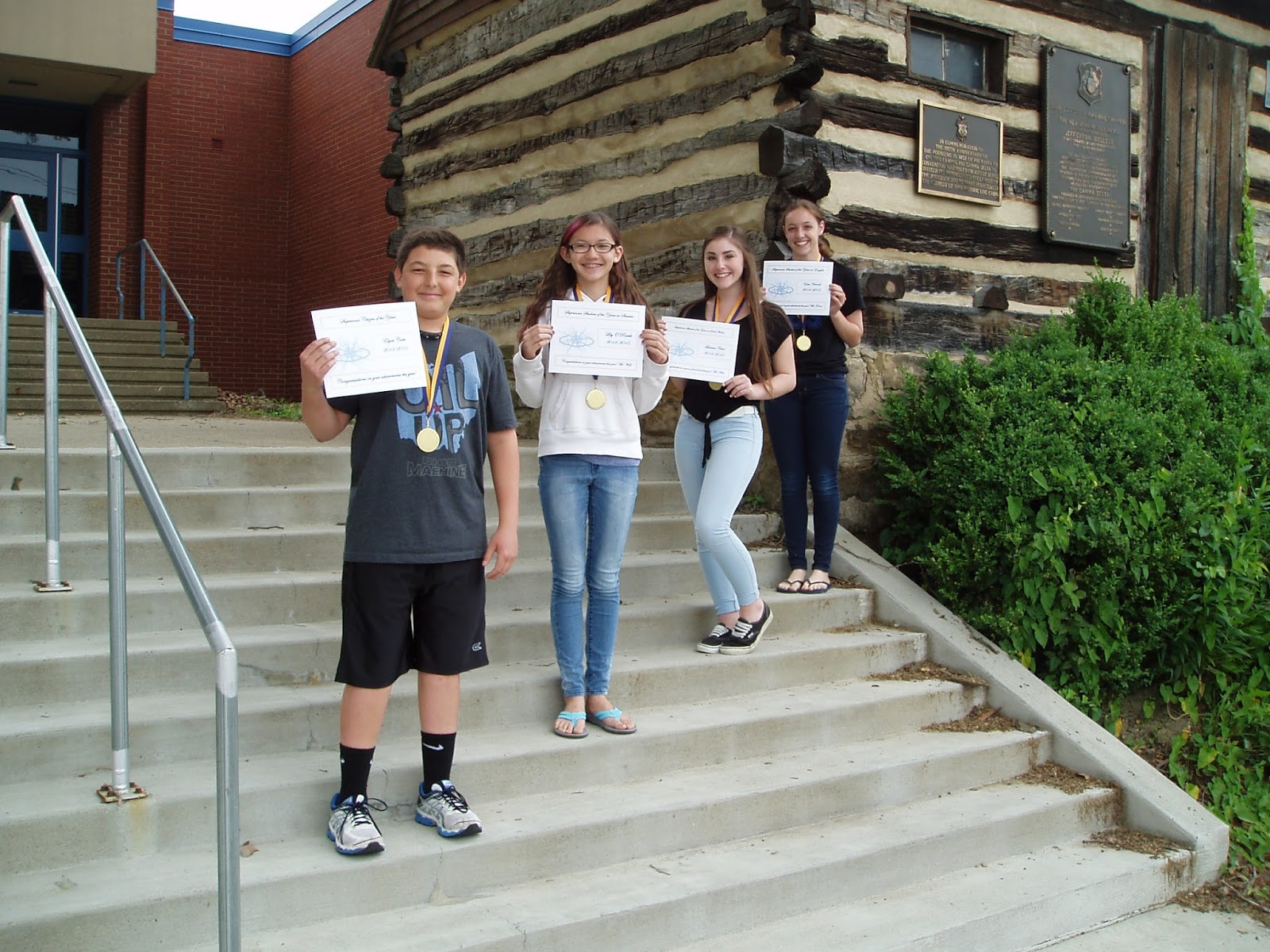
Supernova Students of the Year: 2014-2015

The following students have been selected as the Supernova Students of the Year for the 2014-2015 school year.
Outstanding Citizenship: Elijah C.
Science: Lily O.
Social Studies: Lianna C.
English: Estee C.
(Pictured from left to right)


Monday, June 1, 2015

When Disaster Strikes

FINAL CLASS ACTIVITY


  • Helpful Websiteshttps://www.diigo.com/user/wolfpaul/natural_disasters
  • Google Presentation (AKA: Google Slides) Due Date: June 5th, 2015
    • Create in Google Drive
    • Share with Mr. Wolf: wolfp@cmsd.k12.pa.us
    • Share with all your group members
      • Make sure your group members have permission to edit
    • How to Name Your Google Presentation (AKA: Google Slides):
      • classperiod_yournaturaldisaster
        • Example: 4-5_hurricanes
          • This would be the name of the file for the group presenting on hurricanes in my period 4-5 class.

Thursday, May 28, 2015

Students of the Month: May

The Supernova teachers would like to congratulate the following Supernovas for earning student of the month honors for the month of May.
English: Gia Y.

Social Studies: Bailey N.

Outstanding Supernova Citizen: Bella B.

Science: Lacey R.


English 8: After the Test Activities

Done with the test, and nothing to do...


If you owe me any work, or if you did not complete the homework assignment that was due yesterday, you are to work on this first.  When you have finished, you are to show me, and then you can complete the activities.

Activity 1: Graded Bell Work: Analysis of Anne's Diary Entry


The five questions that are part of this bell work will be collected and graded tomorrow.  If you get done with the test, you are to work on this and complete it.  When you have finished, you are to put the completed sheet with your name on it in the wire bin on the front table. 

Activity 2: Book Collection Tomorrow

Tomorrow, I will be collecting your literature book.  In preparation, you can remove your book cover and remove any papers from your book.


Activity 3: Touring the Secret Annex & Learning about Anne Frank 

You are to use the embedded links to explore the Secret Annex that Anne called home during her time in hiding. You will need headphones for this activity.

The steps below take you through navigating the Anne Frank website. You are to take your time and explore. Along the top of the page is a bar with different options for you.
1. Click on the "Enter the 3D house" link at the top of the page and explore the 3D house. This page can take a while to load. You can get to the 3D house by clicking the Secret Annex link.
2. Click on the “About the house” link and explore the page. Be sure to click on the link that says “See it on Google StreetView”
3. Click on the “Who is who?” link and explore the page by clicking on the arrow beneath the person's picture and caption.
4. Click on the “Outcome” link and explore the page by clicking on the various links.
5. Finally, you are to explore the timeline to gain an understanding of that time period.

This can be an emotional and mature topic. If at any time, you are uncomfortable with the subject matter, you are just to click on another link. You do not have to view the entire Anne Frank site.

Tuesday, May 26, 2015

Science Class: 5/27-5/29

Please complete all the steps in order when given time to use the Chromebooks during class.

1. Complete: Webquest: Tornadoes and Hurricanes - Due 6/1 
  • This will be graded for accuracy.  Please take your time.
2. Complete any late work that you owe.  

3. Complete the "Volcano Research Activity" after reading the following information/instructions.  
  • Helpful Websites: http://www.diigo.com/user/wolfpaul/volcanoes.  IMPORTANT: The links that state "research various volcanoes" will help you find information on specific volcanoes.  
  • Google Earth might NOT be compatible with the Chromebooks.  You may use "Google Maps" instead of "Google Earth" when you reach step #9 if you can't find the location of your volcano using the helpful websites. 
  • Due - 6/1 (Optional Bonus) - 2 Points 
4.  Once have completed all the steps listed above, please choose from the following options.  

Sunday, May 17, 2015

Science Class: 5/15, 5/18, 5/20, and 5/21

Please complete the following steps in order. Please remain silent and on-task the entire class period.

1.  Complete the following anonymous survey to help Mr. Wolf improve his science class.


2.  Complete your paper copy of the guided notes using the link below.  Take your time and read through the PowerPoint.  See Mr. Wolf if there is something you don't understand.
3.  Complete: "Webquest: Earthquakes."  Read the instructions listed below before starting the webquest!!!!
  • Show your green certificate (4 points) to Mr. Wolf once you reach step 4.  If you complete this assignment outside of class, you must print or email your certificate to Mr. Wolf.  
    • Due 5/22/15
  • IMPORTANT: The link on the webquest to the National Geographic Forces of Nature website has NOT been working on some of the Chromebooks.  If it doesn't work for you, try the following:
    • Option 1: Website Link - National Geographic Forces of Nature
    • Option 2: 
      • Type the following in the searchbar: National Geographic Forces of Nature
      • Try one of the first two websites that show up.  
  • When working on the National Geographic website, please take your time and read through each step on the lab.  DO NOT SKIP TO TAB 7.   
  • Please turn in the webquest paper once it is complete.  (4 points)
    • Due 5/22/15
4.  Go to Schoology to complete a short quiz on earthquakeshttps://www.schoology.com/
  • You are allowed to take the quiz up to three times. 
  • Only your best score will be recorded in the gradebook.  
  • You may use your notes, book, and the Internet to help with the quiz.
  • Your final attempt is due before school on 5/28/15
    • Your first attempt is due before school on 5/26/15.
5. If you finish early, please choose from the following options:

Precession of the Earth's Rotation Axis

Websites on the precession of the Earth's rotation axis:

Wednesday, May 13, 2015

Pitt Bioengineering Summer Camp 2015

Camp Website: http://www.engineering.pitt.edu/TissueEngineeringCamp/

Camp Registration: http://www.engineering.pitt.edu/TissueEngineeringCamp/registration/

Dates:
Middle School: July 6-10
High School: July 13-17
High School: July 20-24

Cost: $300 which covers single use experimental materials, meals, and prizes

Wednesday, May 6, 2015

Students of the Month: April

The Supernova teachers would like to congratulate the following Supernovas for earning student of the month honors for the month of April.
Social Studies: Tamara M.
Science: Elijah C.
English: Madison G.
Outstanding Supernova Citizen: Gia Y.


Monday, May 4, 2015

English 8, Advanced English 8, & Social Studies: Career Research Project Links

You are to use the LMC web resources to help you answer the questions to guide you in creating your résumé and presentation.  You can also use the career pathfinder link to assist you in gathering research as well.  You must answer each question and record the source(s) on the lines provided in your packet. You should also double-check each fact that you gather with another source. If the source that you use to check your fact has different information, you need to use a third source. You are only to list the source that is connected to the fact that you decide to use. You will use Noddle Tools to create your works cited pages for both your résumé and presentation . 

Thursday, April 30, 2015

How the Universe Works: Black Holes

Video Link - How the Universe Works: Black Holes

Advanced English 8: "Art in the Style of ..." Project


For the next few weeks, Mrs. Porter’s Advanced English 8 students will be working on the “Art in the Style of…” project. Students will work in pairs or individually to complete their works of art. We will also be working with our building’s gifted support teacher, Miss Moniodes and our art teacher, Mrs. Angle, on this cross-curricular project.

As teachers with a variety of backgrounds, we believe in the importance of a holistic approach to teaching and learning. Incorporating art into the regular education classroom helps promote creativity and foster confidence within our students and their work.

The Task: Students will create a drawing, painting, or sculpture of a local structure, landmark, or feature found within our community and render it in the style of an artist they have researched.  Students will then create a PowerPoint presentation or Prezi that explains the style of the artist, his or her works, or a fundamental belief that he or she had. Students will also explain how they incorporated their artist’s style into their art work.

The student’s projects will be evaluated with a teacher-designed rubric that focuses on content and creativity. The project will conclude with some final products being displayed at Canonsburg Middle School’s “Celebrate the Arts Night”, held on Wednesday, May 27th.  Visitors to the event will be able to hear or see the students explaining their works of art through the use of QR codes that will be placed next to the students' works of art.  

ASSET STEM Education: Engineer Your Summer Fun Day Camp!

Information: www.assetinc.org

Wednesday, April 29, 2015

Science Behind Devastating Nepal Earthquake and Avalanches

Astronomy: Think-Tac-Toe - 2014-2015 (Optional BONUS)

Mr. Wolf's 8th grade science classes are conducting an optional student choice activity in which they choose and complete astronomy activities for bonus points.  The due dates for the optional bonus activities are listed below.  The students can complete up to two projects worth 2.5 bonus points each.

Project # 1 - Due Date: May 7th (2.5 Bonus Points Possible)
Project # 2 - Due Date: May 14th (2.5 Bonus Points Possible)

Helpful Astronomy Websites

Astronomy Think-Tac-Toe (Printable PDF File)
Note: Each project is worth 2.5 bonus points instead of the 25 points listed on the document.  This optional bonus assignment will be discussed in detail during science class on April 29th.

Student Song Examples from Previous Years (Option # 2):
Solar System Song
Space Story Song

Tuesday, April 28, 2015

English 8 & Advanced English 8: Class on Tuesday, April 28th


Activity 1
The vocabulary list has been posted for Act One, Scenes 1-3 from the play, The Diary of Anne Frank. The test on these terms will be on Thursday, April 28th.  You are to follow the steps below for class today. You will need headphones to complete the steps. You can repeat each step as many times as you want.

Step One: You are to click "Cards" and go through the flashcards.
Step Two: You are to play the "Scatter" and the "Race" games to review the terms.
Step Three: You are to click "Learn" and complete this activity.
Step Four: You are to click "Test".

Finally, when you feel confident on the terms, you are to complete Activity 2.
Activity 2
The vocabulary list has been posted for Act One, Scenes 4 & 5 from the play, The Diary of Anne Frank. The test on these terms will be on Thursday, April 28th.  You are to follow the steps for Activity 1.

Activity 3: Touring the Secret Annex & Learning about Anne Frank

You are to use the embedded links to explore the Secret Annex that Anne called home during her time in hiding. You will need headphones for this activity.

The steps below take you through navigating the Anne Frank website. You are to take your time and explore. Along the top of the page is a bar with different options for you.
1. Click on the "Enter the 3D house" link at the top of the page and explore the 3D house. This page can take a while to load. You can get to the 3D house by clicking the Secret Annex link.
2. Click on the “About the house” link and explore the page. Be sure to click on the link that says “See it on Google StreetView”
3. Click on the “Who is who?” link and explore the page by clicking on the arrow beneath the person's picture and caption.
4. Click on the “Outcome” link and explore the page by clicking on the various links.
5. Finally, you are to explore the timeline to gain an understanding of that time period.

This can be an emotional and mature topic. If at any time, you are uncomfortable with the subject matter, you are just to click on another link. You do not have to view the entire Anne Frank site.

Thursday, April 23, 2015

English Class on Friday, April 24th


English 8

You are required to take your AR Quiz before the end of the period today unless you have special permission from me for a time extension to read your novel. If you read a novel that was not AR, your summary is due at the end of the period today.

You also need to complete your citation on Noodle Tools by the end of the period today.  The drop box for this citation is April AR Book.

Advanced English 8 

You must turn in your Anne Frank project by the end of the period today.  You are not required to complete a citation, but you must take the AR Quiz on Anne Frank: The Diary of a Young Girl.


Tuesday, April 21, 2015

English 8 & Advanced English 8: Act One, Scenes 4 & 5 Vocabulary List

The vocabulary list has been posted for Act One, Scenes 4 & 5 from the play, The Diary of Anne Frank. The test on these terms will be on Thursday, April 28th.

Wednesday, April 15, 2015

English 8 & Advanced English 8: Act One, Scenes 1-3 Vocabulary List

The vocabulary list has been posted for Act One, Scenes 1-3 from the play, The Diary of Anne Frank. The test on these terms will be on Thursday, April 28th.

Monday, April 13, 2015

English 8: Class on Tuesday, April 14th

You are to use the embedded links to explore the Secret Annex that Anne called home during her time in hiding. You will need headphones for this activity.

The steps below take you through navigating the Anne Frank website. You are to take your time and explore. Along the top of the page is a bar with different options for you.
1. Click on the "Enter the 3D house" link at the top of the page and explore the 3D house. This page can take a while to load. You can get to the 3D house by clicking the Secret Annex link.
2. Click on the “About the house” link and explore the page. Be sure to click on the link that says “See it on Google StreetView”
3. Click on the “Who is who?” link and explore the page by clicking on the arrow beneath the person's picture and caption.
4. Click on the “Outcome” link and explore the page by clicking on the various links.
5. Finally, you are to explore the timeline to gain an understanding of that time period.

This can be an emotional and mature topic. If at any time, you are uncomfortable with the subject matter, you are just to click on another link. You do not have to view the entire Anne Frank site.